The ONE solution for all your selling needs.
Seamlessly manage your orders, inventory, and customer support in ONE unified platform. Sync with BrickLink and BrickOwl, streamline order fulfillment. track sales, and enhance customer satisfaction with ease.

Everything you need to fulfill your orders.
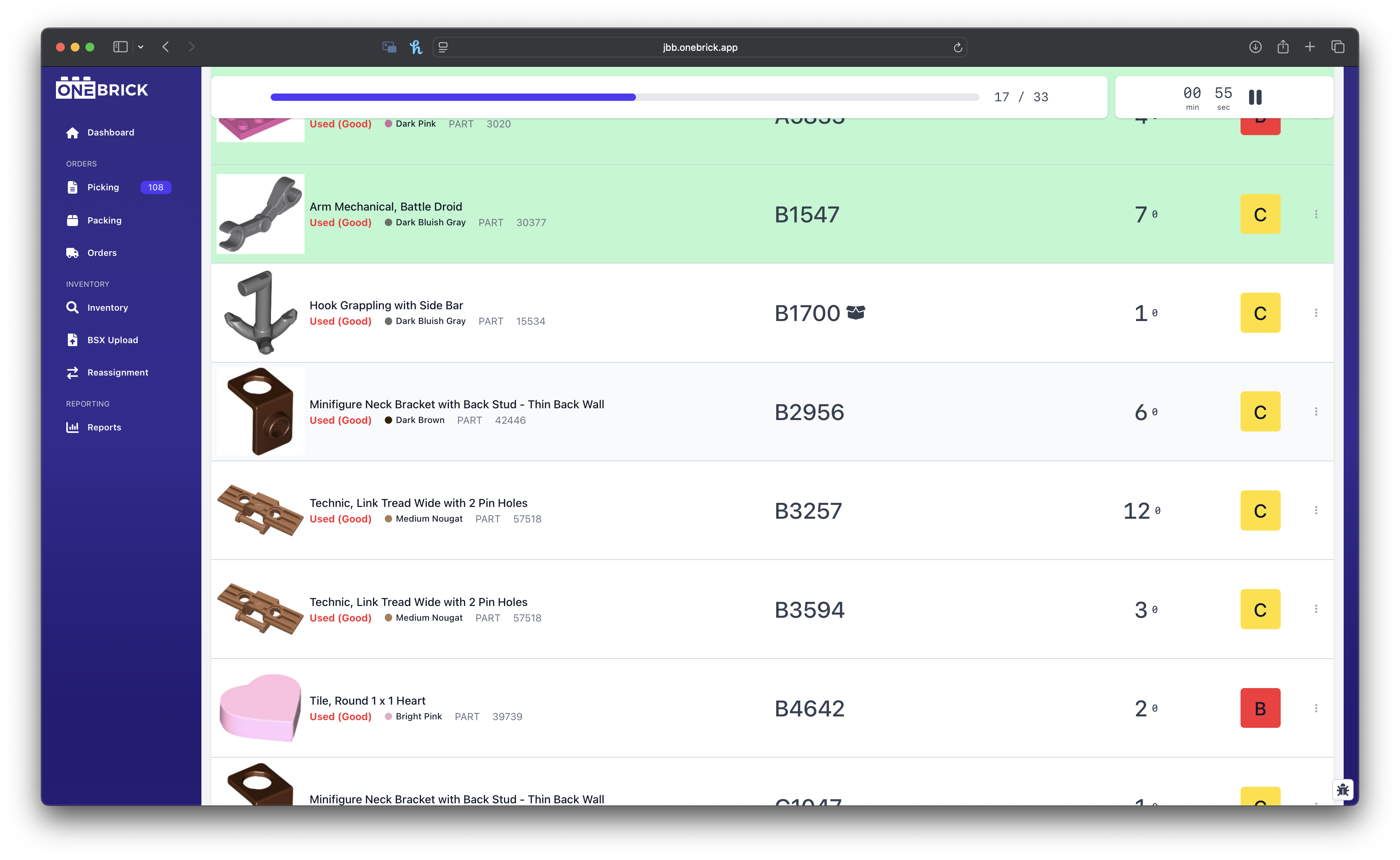
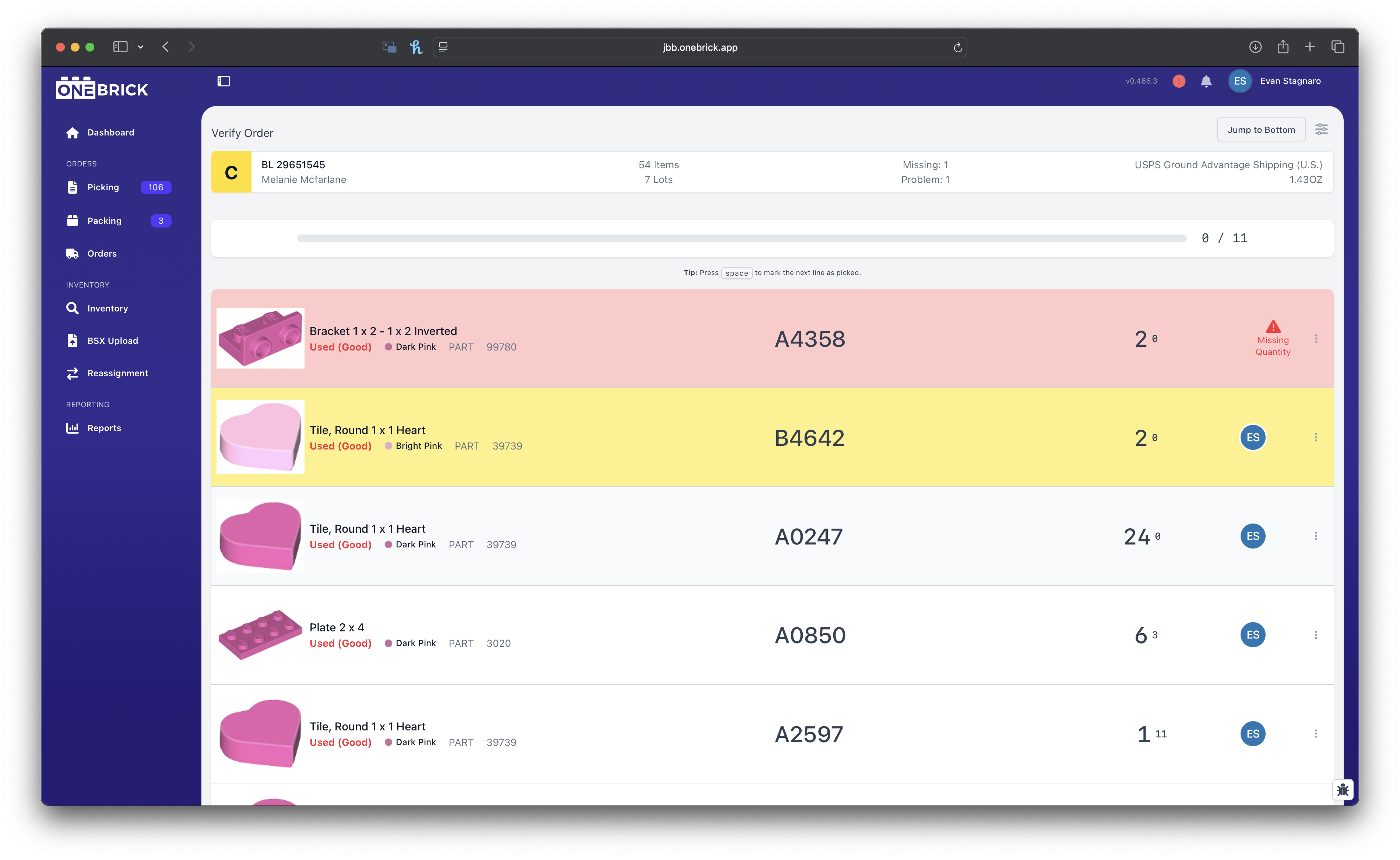
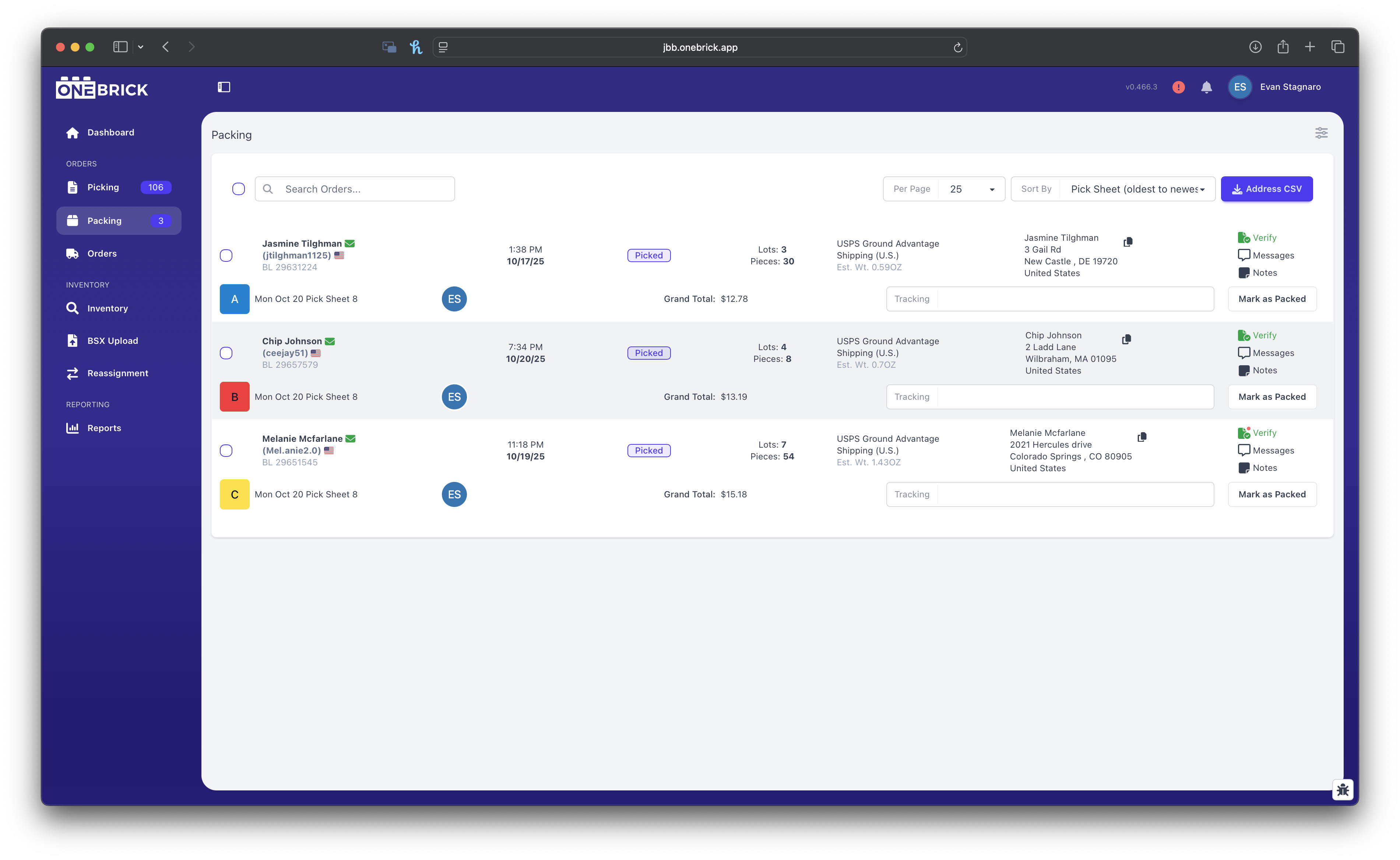
Picking, Verification, Packing, and Shipping, all in ONE place!
Easily add orders from any selling platform into a single picksheet to fulfill all at once.
Manage your inventory with ease.
Built specifically for LEGO sellers to manage, edit, and sync inventory across platforms without any manual work or worry.
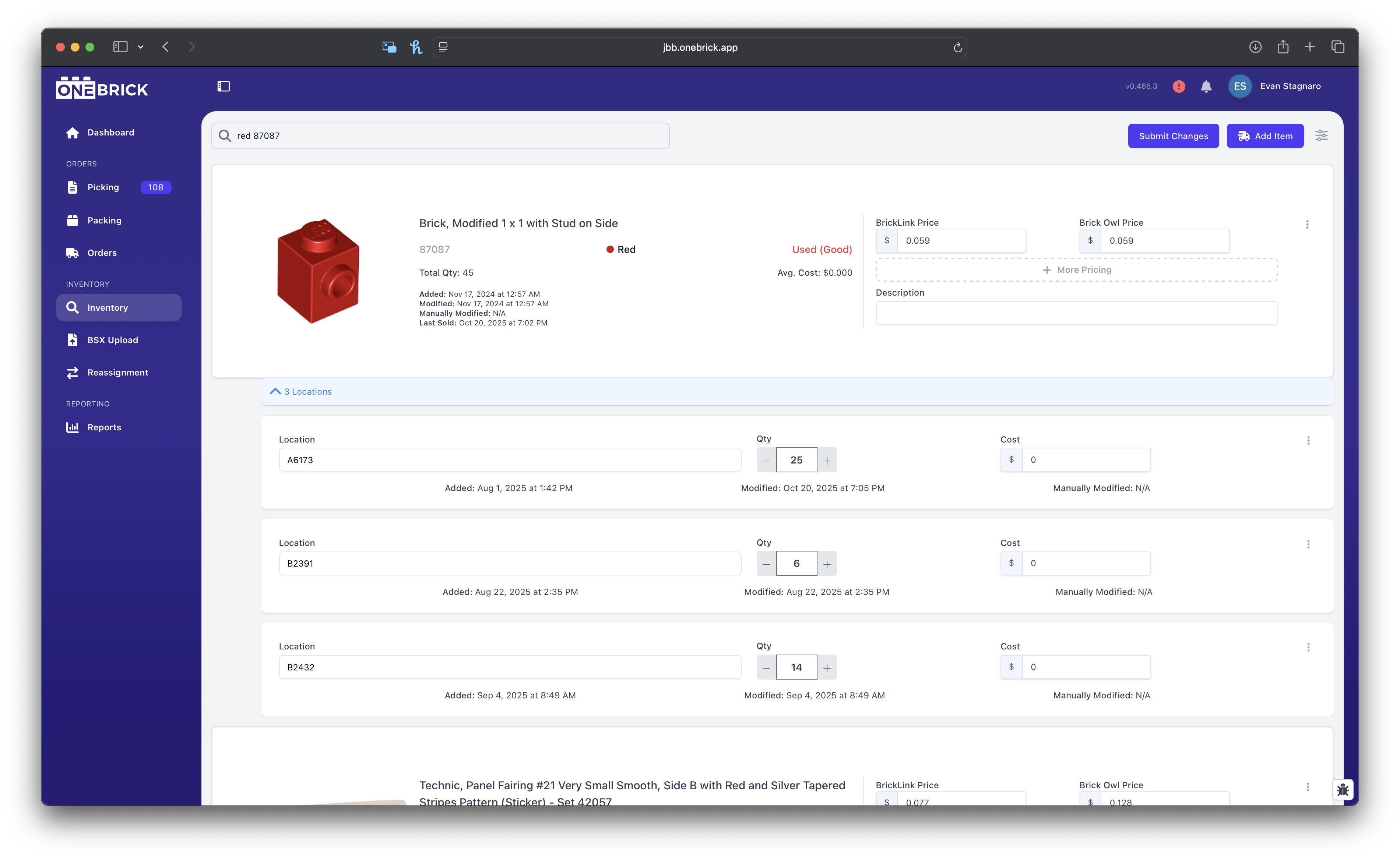
Inventory Editing
Easily edit inventory with our inventory search or reassignment pages.
OneBrick makes it simple to change price, quantity, location, and more on our easy-to-use inventory search page, or location based reassignment page.
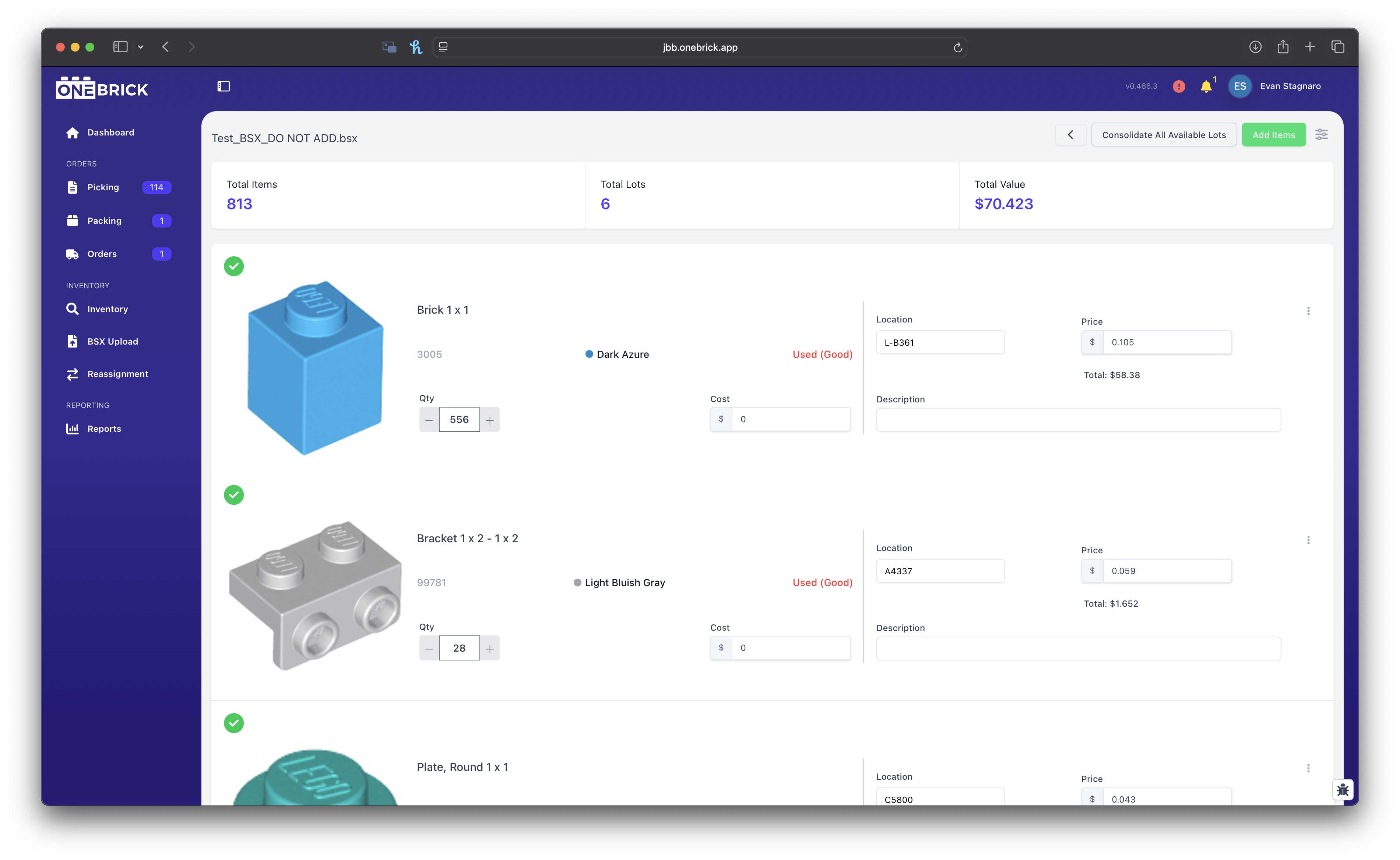
Direct BSX Uploading
Upload BSX files direclty to OneBrick to add to your existing inventory.
OneBrick is built for the industry-standard BSX file. This makes uploading and making edits to files a breeze when adding parts to your inventory!
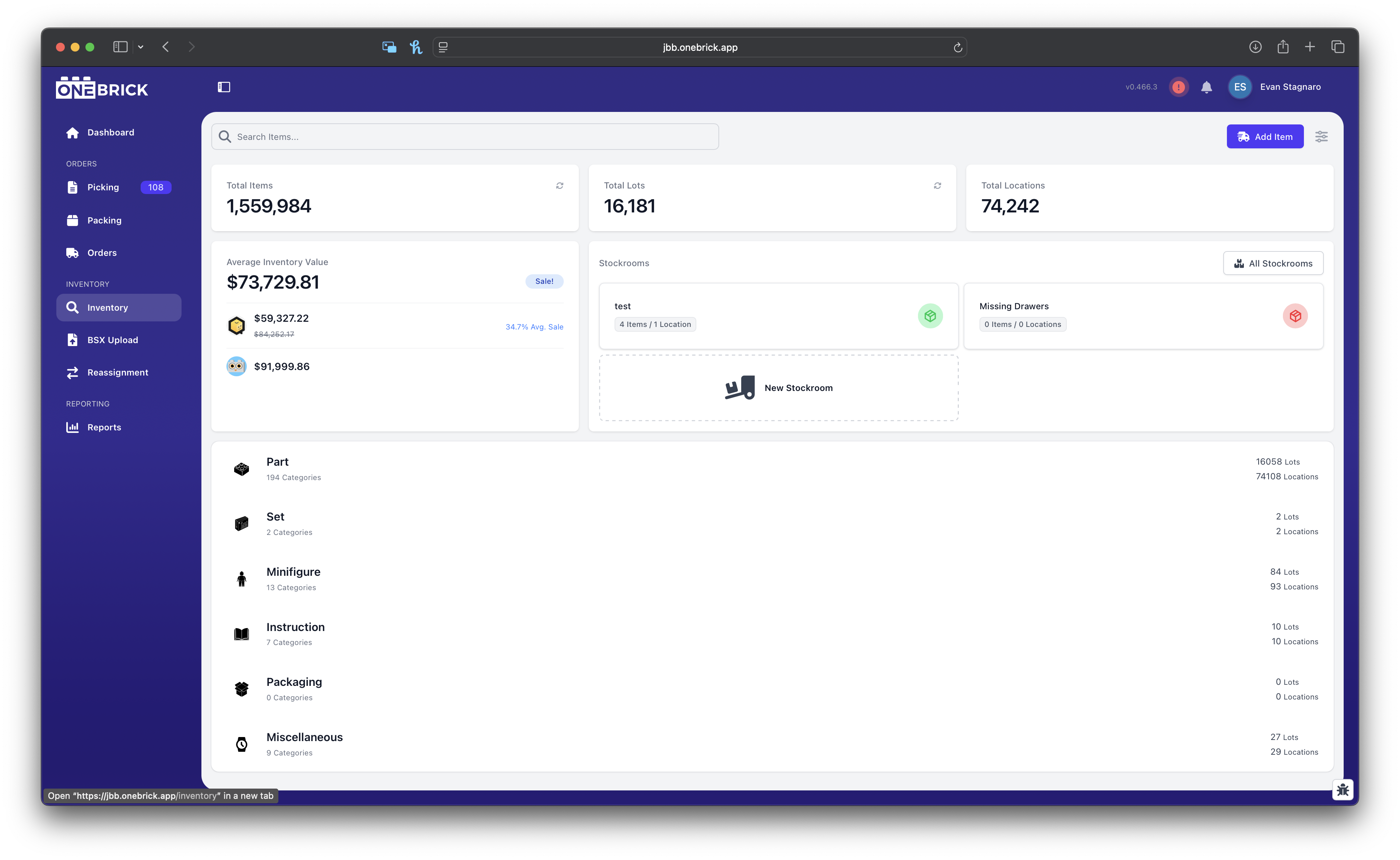
Single Item Adding
Easily add a single item to your inventory with Brickognize.
Upload individual parts one at a time using Brickognize build directly into the OneBrick inventory page without needing to create a BSX!
Easily edit inventory with our inventory search or reassignment pages.
OneBrick makes it simple to change price, quantity, location, and more on our easy-to-use inventory search page, or location based reassignment page.
Upload BSX files direclty to OneBrick to add to your existing inventory.
OneBrick is built for the industry-standard BSX file. This makes uploading and making edits to files a breeze when adding parts to your inventory!
Easily add a single item to your inventory with Brickognize.
Upload individual parts one at a time using Brickognize build directly into the OneBrick inventory page without needing to create a BSX!

Complex Lots
Effortlessly unite your unconsolidated inventory and create a seamless purchase experience for your customers.
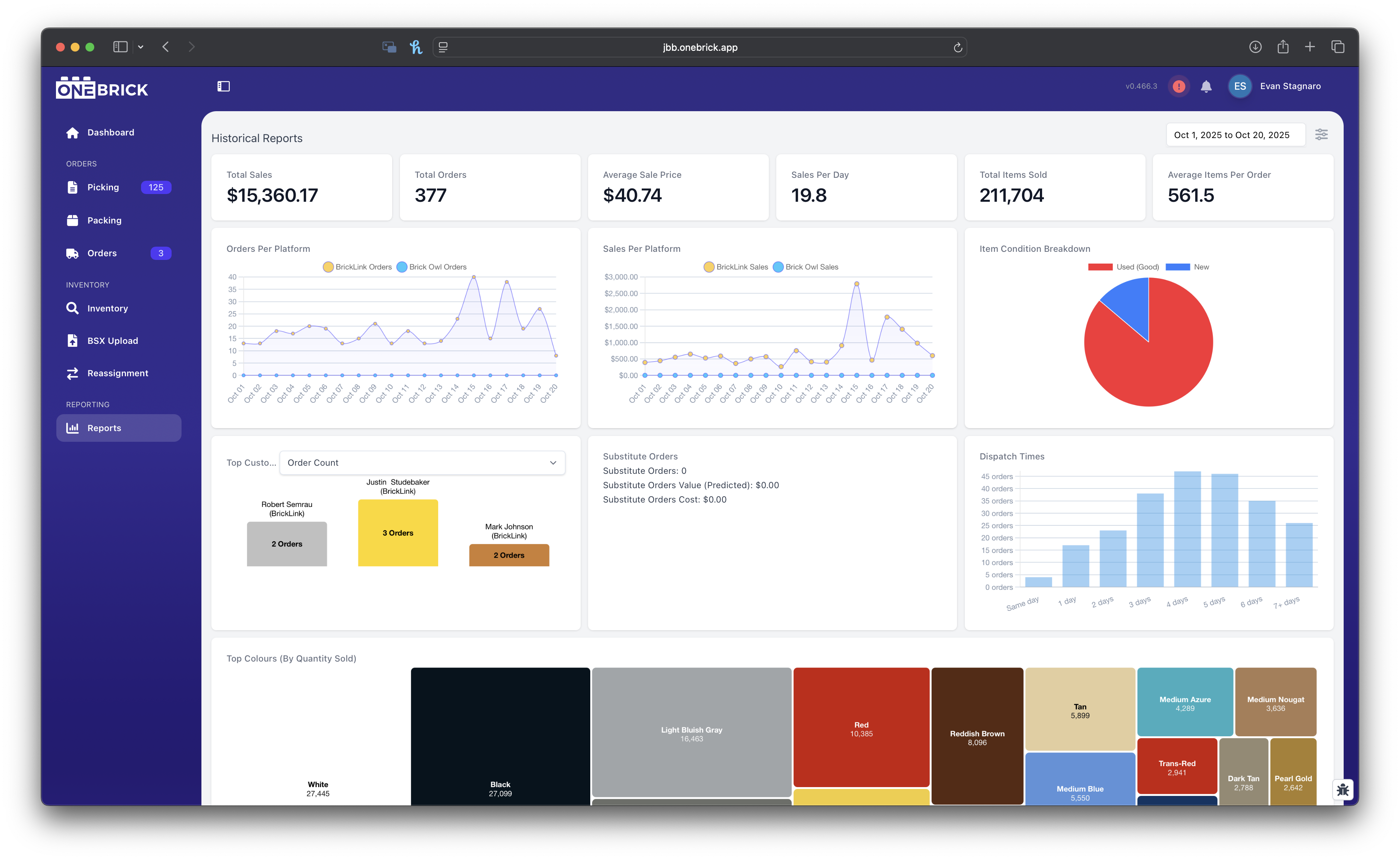
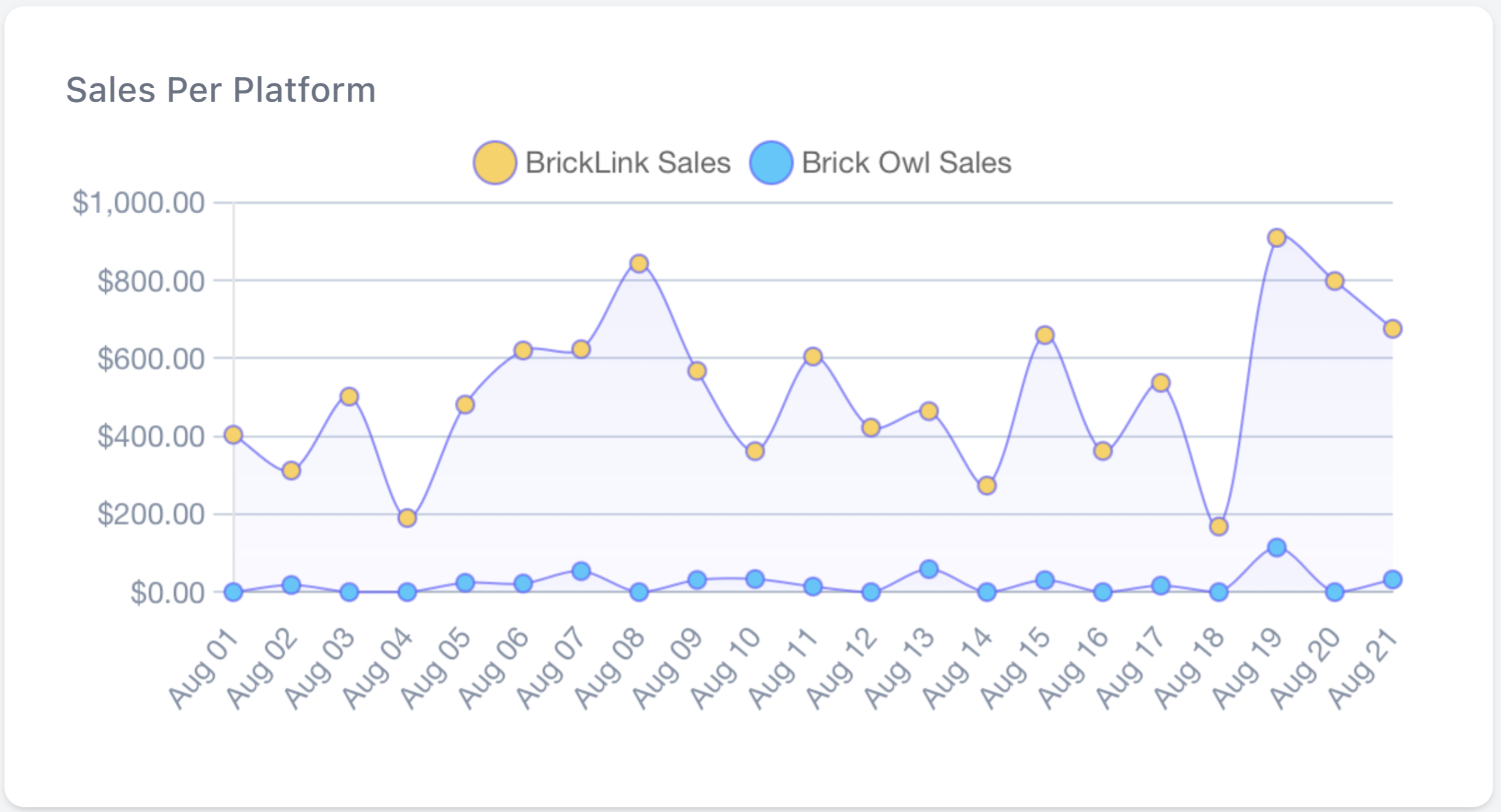
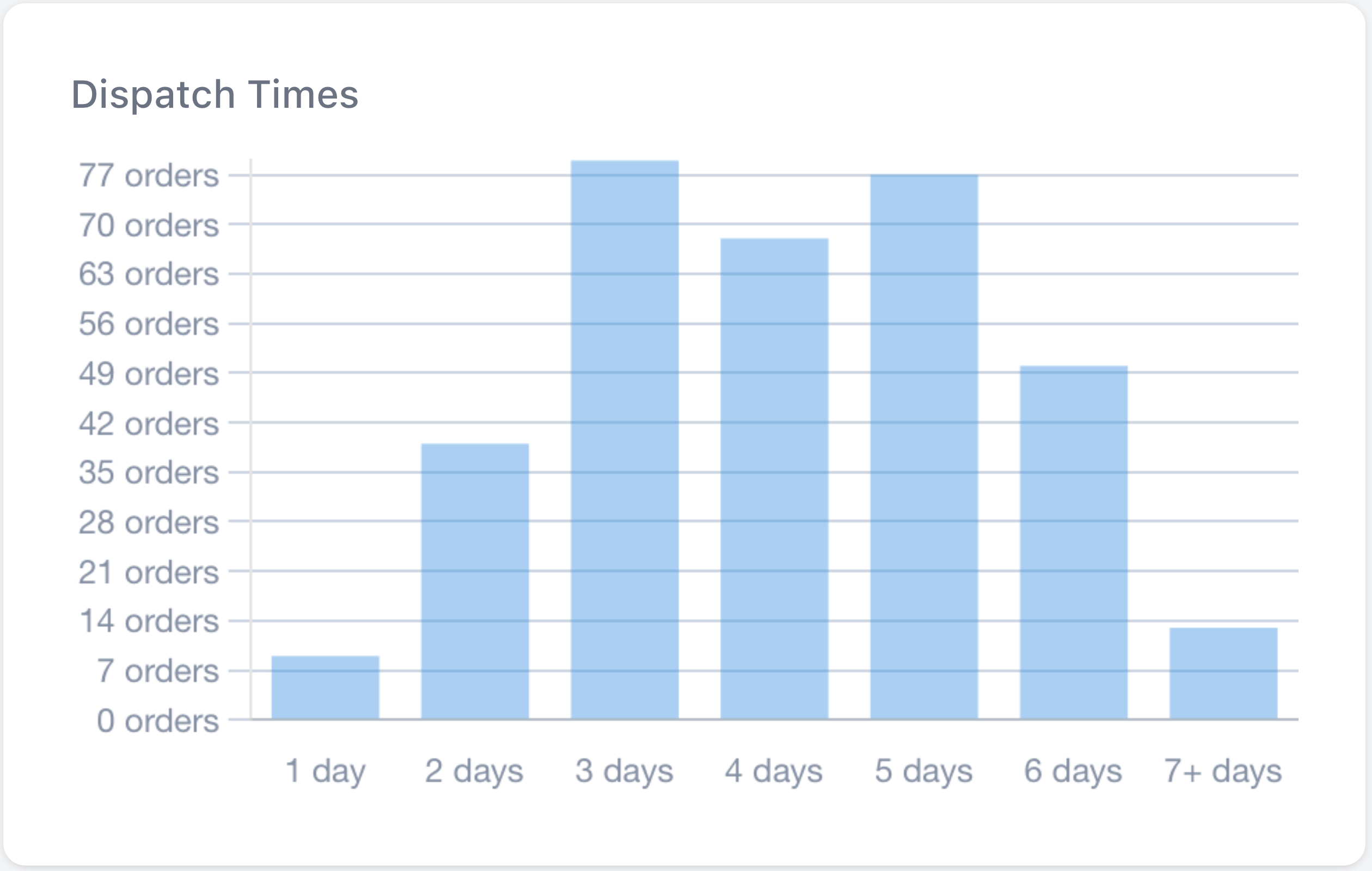
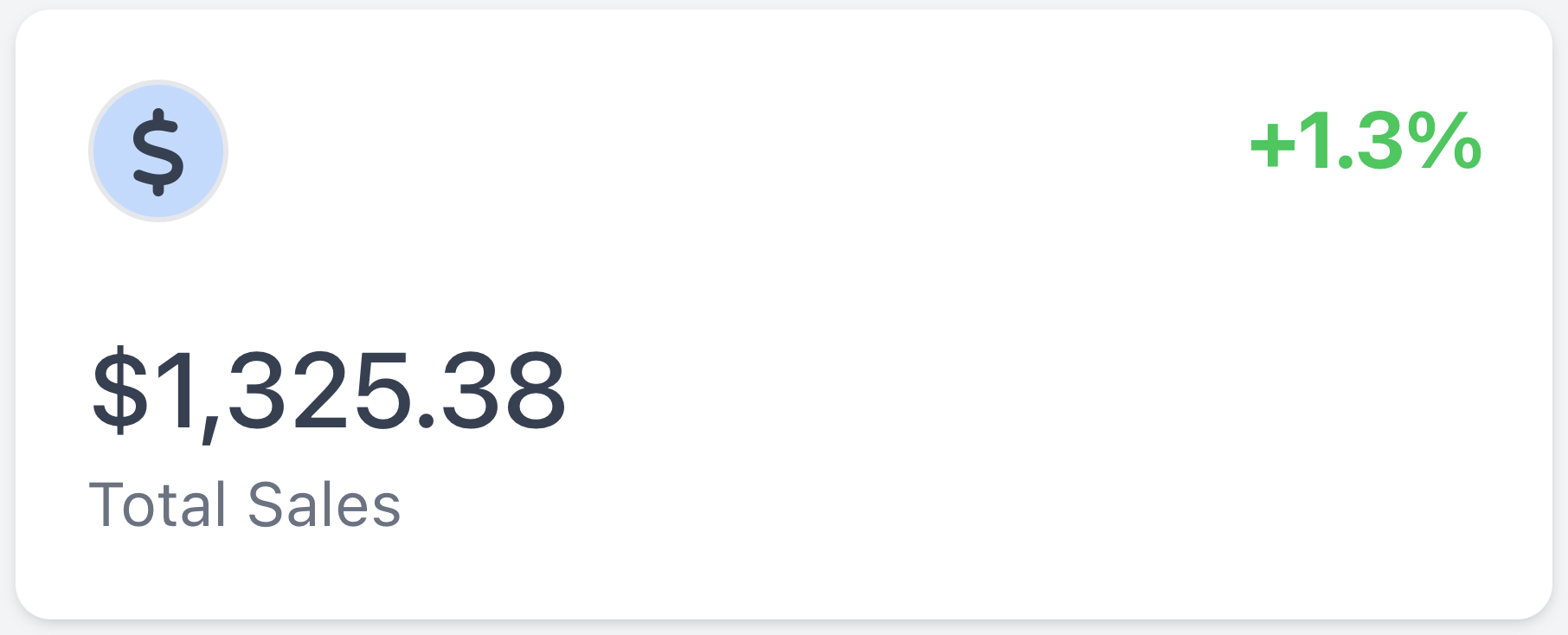
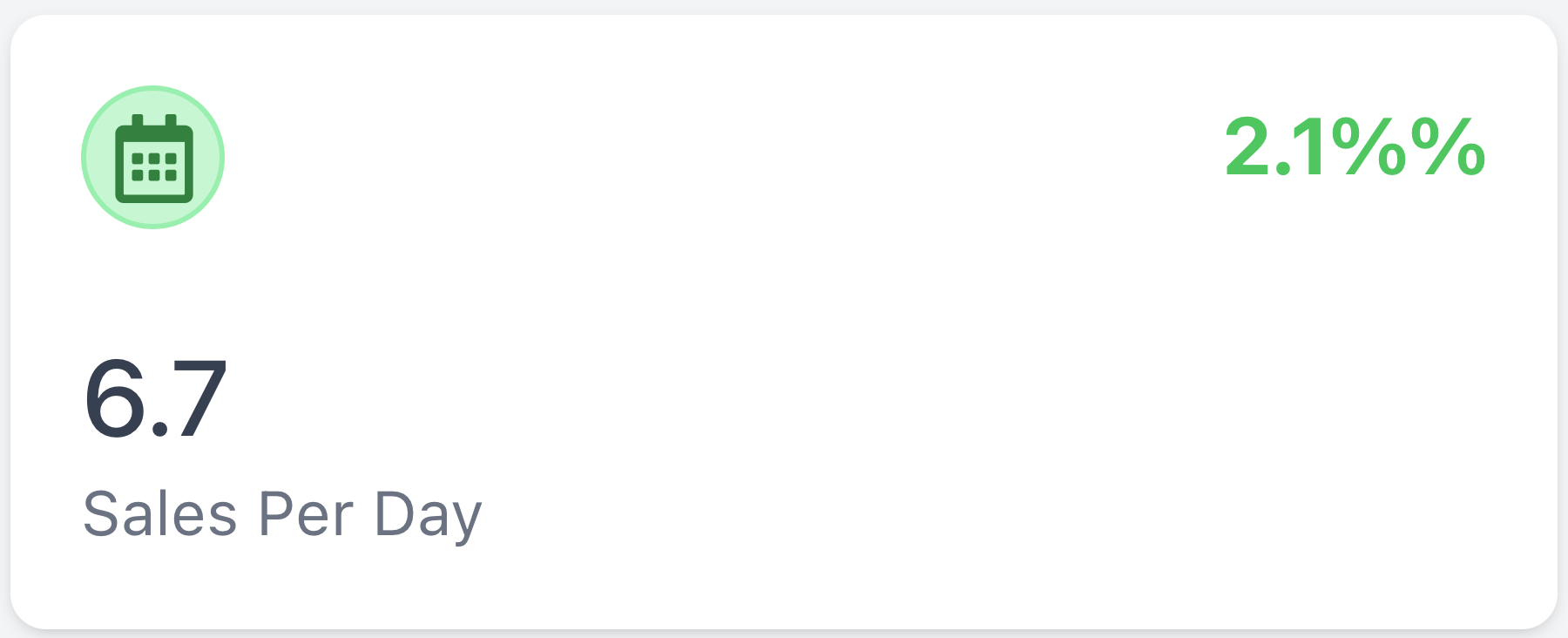
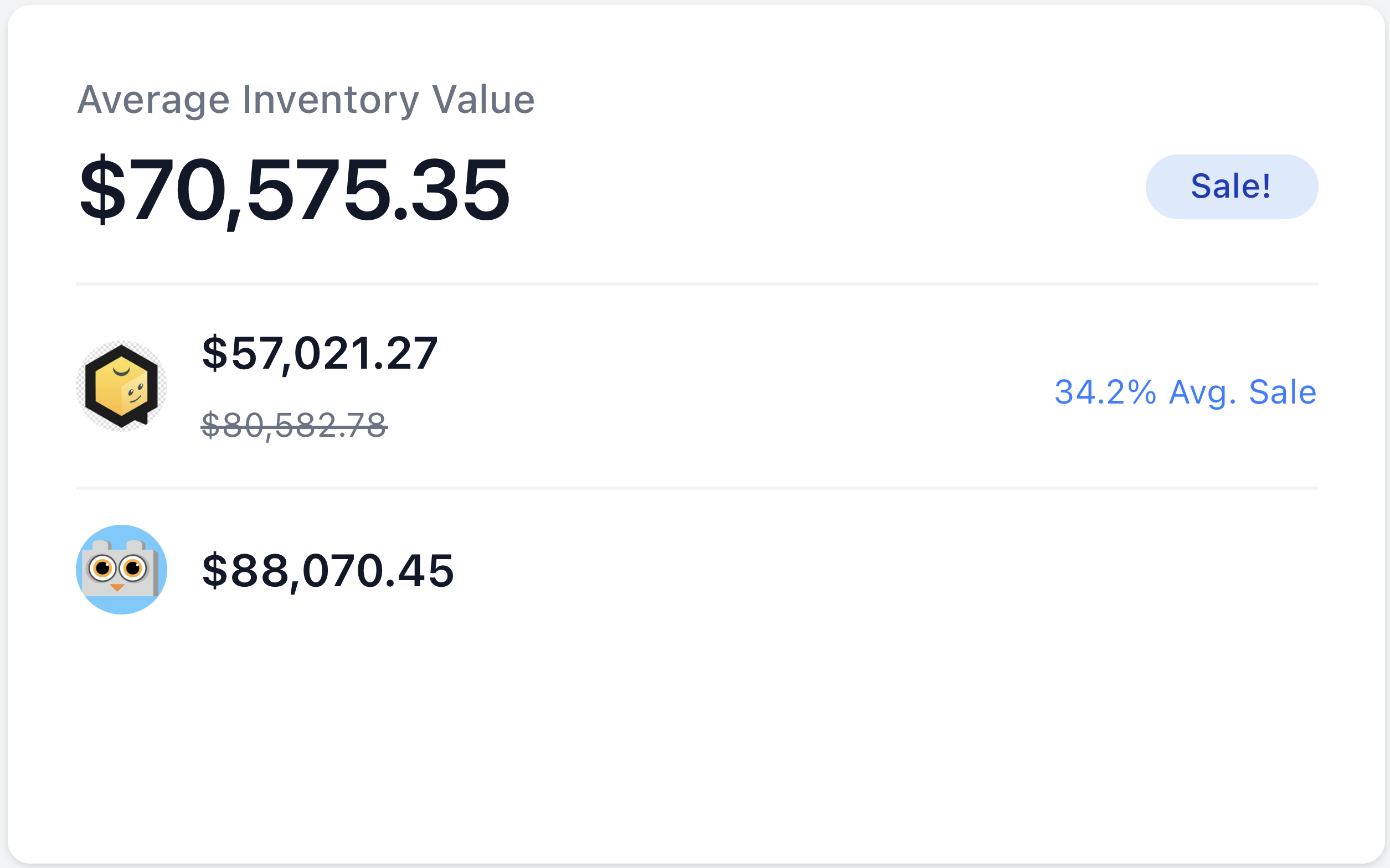
Sign Up NowComprehensive reporting in ONE easy-to-view page.
The streamlined reporting page simplifies data analysis, enabling you to make informed decisions quickly and efficiently. Get everything you need in ONE place to drive your business forward.
ONE plan, ONE price.
No matter the size of your store or the size of your budget, there is a plan for you!
Solo
Good for those small stores processing up to 50 order per month.
$29/mo
- Store Statistics and Dashboard
- Inventory Editing and Syncing with BrickLink and BrickOwl
- Order Fulfillment
- Direct BSX Uploading
- Basic Reporting
Seller
Perfect for small / medium sized stores processing up to 150 orders per month.
$59/mo
- Everything In The Solo Tier, plus:
- Process Up to 150 Orders Per Month
- Add Up to 5 Users
- Brickognize Integration
- Advanced Reporting Suite
- Simple Consolidation (Coming Soon)
- Basic Audit Log (Coming Soon)
Seller Plus
Designed for medium / large stores processing over 150 orders per month.
$99/mo
- Everything In The Seller Tier, plus:
- Process An Unlimited Amount of Orders
- Add Up to 10 Users
- eBay Syncing (Coming Soon)
- Annual Subscription Option

Frequently asked questions
If you can’t find what you’re looking for, reach out to us at: support@onebrick.app, and we'll get back to you soon!
How does OneBrick integrate with existing online platforms?
OneBrick seamlessly integrates with major online marketplaces and platforms using API, allowing you to manage all your sales channels from one interface.
Is OneBrick suitable for all business owners?
Absolutely! OneBrick is designed to cater to stores of all sizes, from small hobbyists to large businesses, providing scalable solutions to meet your specific needs.
Is there a mobile version of OneBrick available?
While we do not currently have a mobile app, OneBrick is designed to work well on most screen sizes, providing access to essential functions from anywhere. Tablets and computers currently works best.
How often is OneBrick updated?
We regularly update OneBrick to introduce new features, improve existing functionalities, and ensure compatibility with the latest market trends and technologies. Most updates will occur at 5:00pm PDT on Wednesdays. For larger releases, we will have a new release version announced.
Is there a trial period for OneBrick?
Yes, we offer a free trial period for you to explore the features and benefits of OneBrick before making a commitment.
How long do I need to close my store when setting up my account?
OneBrick was designed with a streamlined onboarding process, meaning your stores should only need to be closed for a few minutes while we transition your current inventory into Complex Lots.
What are the hardware requirements to run OneBrick?
OneBrick is a cloud-based software, so it does not require specific hardware. You can access OneBrick from any modern device with internet connectivity and a web browser.
Is there a limit to the number of users who can access my store on OneBrick?
OneBrick offers different subscription plans with varying user access levels, depending on the size and needs of your business.
Can I use OneBrick for my store if I'm not located in the United States?
As of now, OneBrick only supports U.S. based stores, however we do plan to open up to more sellers worldwide in the future.